
How to Auto-DM People Who Comment on Instagram (2026)
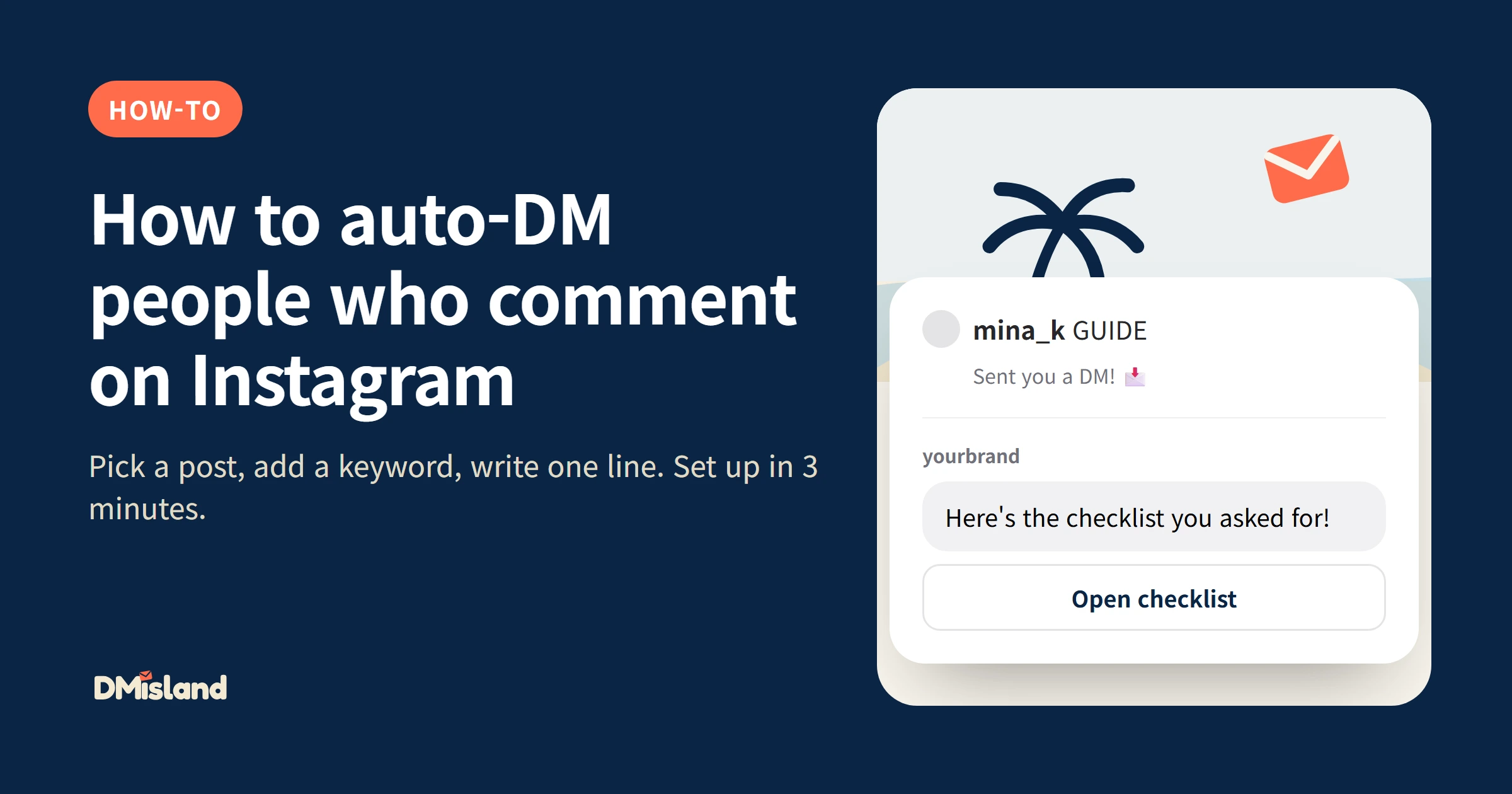
Comment-to-DM automation sends a direct message to everyone who comments a keyword on your Instagram post. You write "Comment GUIDE and I'll send you the checklist", and each person who comments GUIDE gets your link in their DMs within seconds, even while you sleep. Setup takes about three minutes with a tool like DMisland.
This guide walks through the setup, the settings that matter, and three ready-to-copy examples.
What you need before you start
- An Instagram professional account (Business or Creator). A personal account can be switched to professional for free in the Instagram app, under Settings → Account type and tools.
- A comment-to-DM tool that uses Meta's official login. It should never ask for your Instagram password.
- Something to send: a link to a guide, a discount code, a booking page, a product page.
Step 1: Connect your Instagram account
Sign up, then connect your Instagram professional account through Meta's official login. You approve the permissions on Meta's own screen. With DMisland this takes about a minute, and your access token is stored encrypted.
Step 2: Pick the post
Choose where the automation runs:
- This post: replies only to comments on one post. Best for a specific launch or giveaway.
- All posts: replies on every post you publish, including future ones.
If a post has its own automation, that one answers first. The "all posts" automation only answers when the post's own keywords don't match.
Step 3: Add your keywords
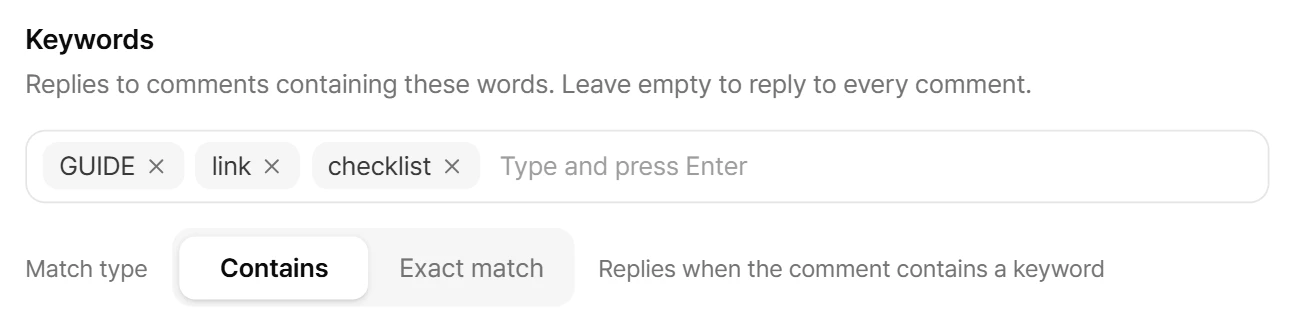
Type the words that should trigger the DM, for example GUIDE, link or checklist.
- Contains: replies when the comment includes the keyword anywhere ("can I get the guide pls" matches
guide). - Exact match: replies only when the whole comment is the keyword.
Matching isn't case-sensitive. Leave the keyword list empty to reply to every comment.
Step 4: Write the DM
Write the message people receive. Use {username} to greet them by name, and attach up to three link buttons, for example "Open checklist" or "Book a call".
Keep it short. One sentence and one button get more clicks than a paragraph.
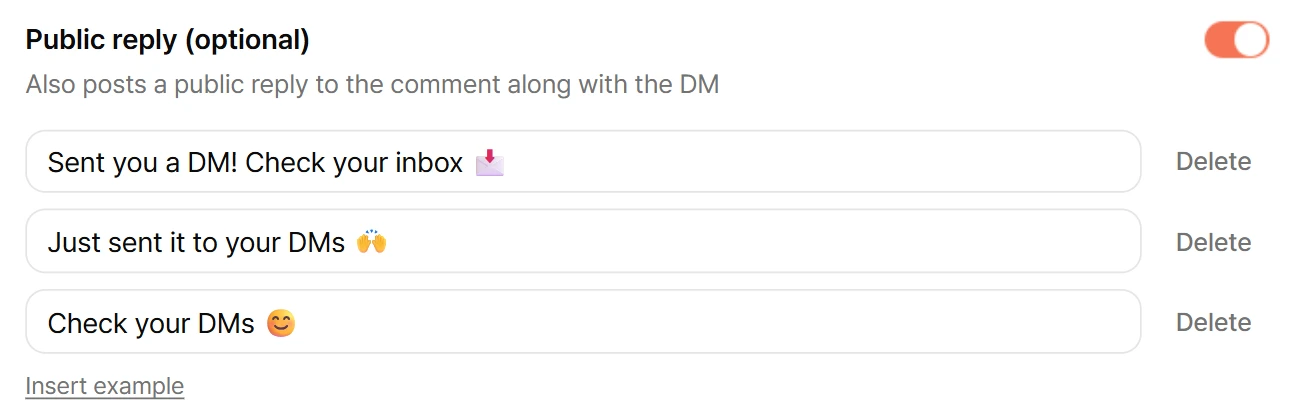
Step 5 (optional): Add public replies
You can also reply publicly under the comment, like "Sent you a DM! Check your inbox 📩". Add two or three variations. DMisland picks one at random for each comment, because posting the exact same text over and over can get replies hidden.
Step 6 (optional): Turn on the follow gate
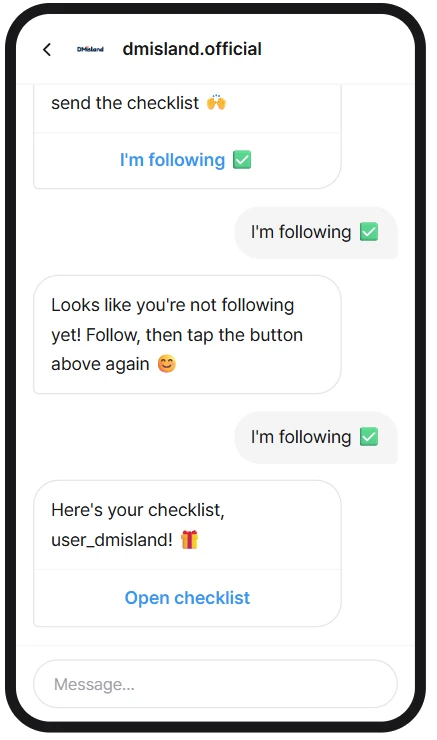
The follow gate asks people to follow you before they get your freebie:
- Opening DM with a button such as "I'm following ✅"
- If they tap it but don't follow yet, a follow request message
- Once they follow and tap again, the delivery message with your links
- Optionally, an already delivered message if someone taps again later
DMisland checks the follow status automatically. The follow gate is included on the free plan.
Step 7: Turn the automation on
Once it's on, everyone who comments from then on gets your DM within seconds. Every DM, public reply and skip shows up in the send log, with the reason when something was skipped.
Three examples you can copy
| Use case | Caption | Keyword | DM | Button |
|---|---|---|---|---|
| Creator | "Comment GUIDE and I'll DM you the free checklist 👇" | GUIDE | "Here's the checklist you asked for, {username}!" | Open the PDF |
| Shop | "Back in stock! Comment RESTOCK for 10% off" | RESTOCK | "It's back! Use code WELCOME10 for 10% off today." | Shop now |
| Coach | "Comment BOOK to grab a free intro call" | BOOK | "Happy to talk. Pick a time that suits you." | Book a call |
Is comment-to-DM safe for my account?
Comment-to-DM replies to something the person did first, which is exactly what Instagram's messaging API is built for. The risks come from tools that message people first, send too fast, or repeat the same DM. A safe tool:
- only replies, never messages anyone first
- paces sends below Meta's limits, and queues the overflow in order instead of dropping comments
- sends one DM per person per post in any 24 hours
DMisland keeps these rules on for every plan, and they can't be turned off. We explain Meta's limits, with sources, in Instagram DM limits in 2026.
Frequently asked questions
Does it work with personal Instagram accounts?
No. Instagram's messaging API only works with professional accounts (Business or Creator). Switching is free and takes a minute.
What if someone comments twice on the same post?
By default they get one DM per post, and the second comment is logged as skipped. For giveaways you can turn "once per person per post" off, but the same person still gets at most one DM per post every 24 hours.
How fast is the DM sent?
Usually within seconds. If a post goes viral, comments beyond the safe pace wait in a queue and go out in the order they came in.
Is it free?
DMisland's free plan includes 1,000 DMs a month, one automation and the follow gate, with no card required. Pro is a flat $9 a month for 20,000 DMs, with as many automations as you need.
How is this different from ManyChat?
DMisland is built for Instagram comment-to-DM, so there's no flow to build: pick a post, a keyword and a DM, and you're done in 3 minutes. ManyChat's bill grows with every person you message, while DMisland's price is flat per plan, even when a post takes off. The follow gate is included on the free plan. See ManyChat pricing 2026 explained for a side-by-side look.
Start in three minutes
Pick a post, add a keyword, write a short DM with a button, and turn it on.
Try DMisland free, no card required.